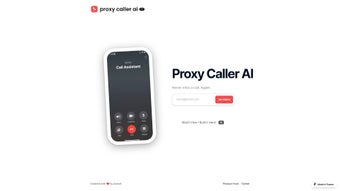

Download Proxy Caller AI – Secure AI Call Management Tool
Overview
Proxy Caller AI is an innovative, web‑based solution that transforms the way individuals and businesses handle inbound phone calls. Acting as a digital receptionist, the platform leverages artificial intelligence to intelligently route calls when the intended recipient is unavailable, reducing missed communications and improving overall customer experience. Unlike traditional call‑forwarding services that simply increase call volume, Proxy Caller AI focuses on call organization, ensuring each call is answered, queued, or redirected according to customizable rules.
The tool is especially valuable for high‑traffic environments such as support centers, sales teams, and solo entrepreneurs who cannot afford to let calls slip through the cracks. While it does not currently support outbound dialing or SMS messaging, its core strength lies in its ability to learn from call patterns, adapt its routing logic, and integrate seamlessly with any device that has a modern web browser. The result is a flexible, scalable, and secure call‑management ecosystem that can be deployed across Windows, macOS, Linux, Android, and iOS platforms without the need for additional hardware or complex configurations.
Key Features of Proxy Caller AI
- AI‑Powered Call Routing: Automatically determines the best destination for each inbound call based on availability, priority rules, and historical interaction data.
- Customizable Queues & Wait Times: Set specific wait‑time thresholds, play personalized greetings, and provide callers with real‑time position updates.
- Web‑Based Dashboard: Manage call flows, view analytics, and adjust settings from a responsive interface accessible on any browser.
- Multi‑User Support: Assign multiple agents or departments to a single phone number, with intelligent load balancing to distribute calls evenly.
- Call Logging & Transcripts: Keep a detailed log of every call, including timestamps, duration, and AI‑generated summaries for quick reference.
- Secure Data Handling: End‑to‑end encryption ensures that call metadata and recordings are stored safely, complying with GDPR and CCPA standards.
- Scalable Architecture: From a single‑person startup to a large enterprise, the platform scales automatically without performance degradation.
- Integration Ready: Simple webhook and API support allow you to connect Proxy Caller AI with CRM, ticketing, and VoIP systems.
- Real‑Time Notifications: Receive instant alerts via email, push notification, or Slack when a high‑priority call arrives.
- Free Tier & Affordable Plans: Start with a no‑cost tier that includes essential routing features, then upgrade as your call volume grows.
Installation, Usage, and Compatibility
Getting started with Proxy Caller AI is remarkably straightforward because the service is entirely cloud‑hosted. Follow these steps to begin routing calls in minutes:
- Create an Account: Visit the official website, click “Sign Up,” and provide a valid email address. A verification link will be sent—click it to activate your account.
- Claim Your Virtual Number: Within the dashboard, choose a country and a local or toll‑free number. The system provisions the number instantly.
- Configure AI Rules: Use the “Routing Rules” tab to define conditions such as “If agent A is offline, forward to voicemail” or “If call volume exceeds 10 per minute, place callers in a queue.” The AI learns from each decision, refining future routing.
- Connect Your Devices: Since Proxy Caller AI operates in a browser, you can log in on Windows PCs, macOS laptops, Linux workstations, Android phones, or iOS tablets. No additional software downloads are required, though a native shortcut app is available for quick access on mobile devices.
- Test the Flow: Place a test call to your new number. Observe how the AI greets the caller, routes the call, and logs the interaction. Adjust settings as needed.
- Monitor & Optimize: The analytics panel displays call volume trends, average wait times, and missed‑call percentages. Use these insights to fine‑tune your routing rules and improve service levels.
Compatibility: Because the platform runs in any modern browser (Chrome, Firefox, Safari, Edge), it is compatible with Windows 10/11, macOS Ventura and later, major Linux distributions, Android 8.0+, and iOS 13+. No plugins or extensions are required, making it a truly cross‑platform solution.
Security‑focused users will appreciate the optional two‑factor authentication (2FA) and IP‑whitelisting features, which add an extra layer of protection for the dashboard. Regular updates are rolled out automatically on the server side, guaranteeing that you always benefit from the latest AI improvements without manual patching.
Pros, Cons, and Frequently Asked Questions
Pros
- Intelligent, rule‑based call routing reduces missed calls dramatically.
- Zero‑install, browser‑only access works on any device.
- Robust analytics help teams improve response times and customer satisfaction.
- End‑to‑end encryption keeps call data secure and compliant.
- Scalable pricing model lets small businesses start for free.
Cons
- No native outbound dialing or SMS capabilities.
- Advanced AI customization may require a learning curve for non‑technical users.
- Reliance on internet connectivity; offline scenarios are not supported.
FAQ
Is Proxy Caller AI a free service?
Yes, there is a free tier that includes a single virtual number, basic AI routing, and up to 100 inbound minutes per month. Paid plans unlock additional numbers, higher call volumes, and advanced analytics.
Can I integrate Proxy Caller AI with my existing CRM?
Absolutely. The platform provides webhooks and a RESTful API that can push call events directly into most CRMs, including Salesforce, HubSpot, and Zoho.
What happens to calls when the AI cannot find an available agent?
If no agents meet the routing criteria, the AI can either place the caller in a queue, redirect to a pre‑recorded voicemail, or forward to an external call‑center, depending on your configuration.
Is there a mobile app for Proxy Caller AI?
While the core product is browser‑based, a lightweight companion app is available for Android and iOS that opens the dashboard in a dedicated window and supports push notifications.
How does Proxy Caller AI ensure data privacy?
All call metadata and recordings are encrypted both in transit (TLS) and at rest (AES‑256). The service adheres to GDPR, CCPA, and ISO 27001 standards, and you can request data deletion at any time.
Proxy Caller AI delivers a smooth, AI‑driven experience that dramatically reduces missed calls while staying simple enough for non‑technical teams. The lack of outbound features is a minor drawback for businesses that need a full‑suite telephony platform, but as a dedicated inbound manager it excels.
Conclusion & Call to Action
In a world where every missed call can mean a lost opportunity, Proxy Caller AI offers a compelling blend of artificial intelligence, ease of use, and cross‑platform accessibility. Its web‑centric design eliminates the headaches of hardware installations, while the AI engine ensures that callers are always met with the right response—whether that’s a live agent, a queue, or a helpful voicemail. For small businesses seeking a free, secure way to professionalize their inbound communications, the free tier provides enough power to get started immediately. Larger organizations will appreciate the scalability, robust analytics, and integration capabilities that make the platform a solid backbone for any customer‑service operation.
Ready to stop losing calls? Download Proxy Caller AI now and experience the future of call management. Start with the free plan, explore the AI routing rules, and upgrade when your call volume grows. Your customers—and your bottom line—will thank you.



.png)



